 Play
Minecraft Classic
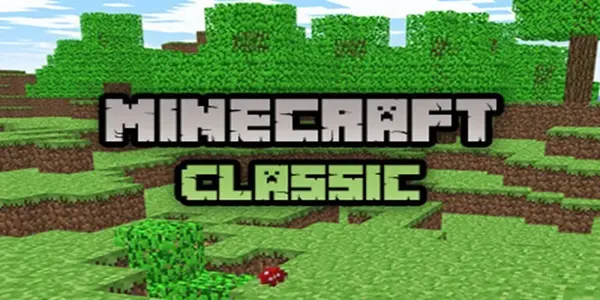
Minecraft Classic is a creative block sandbox game that uses a version of the original Minecraft world but with fewer blocks available to play with. The game allows players to place and delete blocks as well as shape structures in a world where they don’t have to survive.
Introduction
Minecraft Classic is a free online sandbox game that allows players to explore and create their world using various blocks. The control scheme of the game is very simple to understand. The sequence of actions and their timing matter. It is about building in free form, digging the terrain, and inviting other players in the same world. If you want to get a perfect loop, try using contrasting blocks for corners and only then build the walls.
How to Play Minecraft Classic
Go to the Minecraft Classic game page using your modern web browser. Allow time for the entire game window to load up. Observe the list of controls that are available. Pay close attention to the first key, click, or swipe. These are the controls to use: WASD movement; Space jump; Mouse for viewing; Left click break; Right click build; Number keys block selection. Experiment with just one control and see what happens. After that, you may begin building and deleting blocks to form structures without being in survival mode. Remember that the following is the objective: build as you like, and bring people into your world. Avoid making the next move in a hurry. You can do this by marking off corners with opposing blocks prior to building walls or floors.
Minecraft Classic Game Features
- Discover an extensive block-based world.
- Construct houses, buildings and structures.
- Select from 32 unique blocks.
- Construct and demolish blocks as you like.
- Experience the graphics of classic Minecraft.
- Play in the Creative mode.
- Explore randomly generated worlds.
- Build without any enemies or survival restrictions.
- Share your world with others.
Controls
WASD moves; Space jumps; mouse looks; left click breaks; right click places; number keys select blocks. Test the main input in Minecraft Classic. Use short moves at first. Add speed when the timing feels clear.





Comments (2)